
AI Secretary in Bitrix24: How We Taught CRM to Listen to Meetings and Set Tasks
AI Secretary in Bitrix24: How We Taught CRM to Listen to Meetings and Set Tasks
A story about how we implemented neural networks in the sales department, freeing managers from the need to re-listen to hour-long Zoom meetings and manually write meeting minutes.
Problem
The client conducts dozens of meetings per week: briefings, sales, planning sessions. The main issue — loss of context. Managers forgot to record agreements, spent 30-40 minutes re-listening to recordings, and tasks got lost in the conversation flow.
A solution is needed that will take the audio/video file of the meeting, automatically transcribe it, highlight the main points (summary), and create a task list, linking all this to a specific deal in Bitrix24.
Solution
We abandoned complex external services and developed a custom architecture based on N8N + OpenAI (Whisper & GPT-4o), integrated directly into the deal interface. For the user, it looks like magic with the press of a single button.
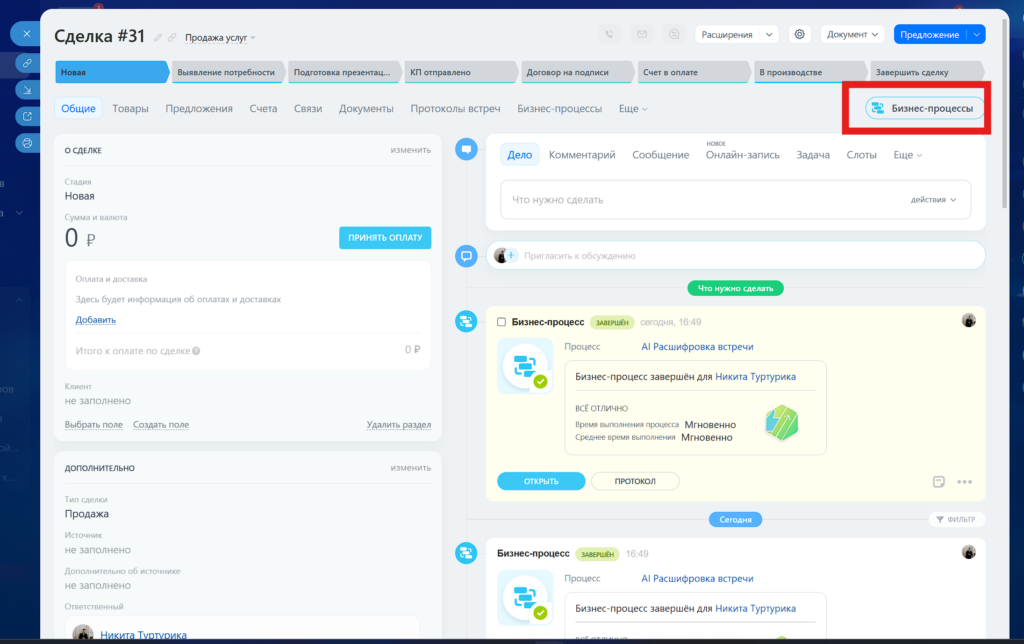
1 Entry Point. Everything starts in the deal card. We do not force employees to switch to external websites. Just click the "Business Processes" button in the top menu.
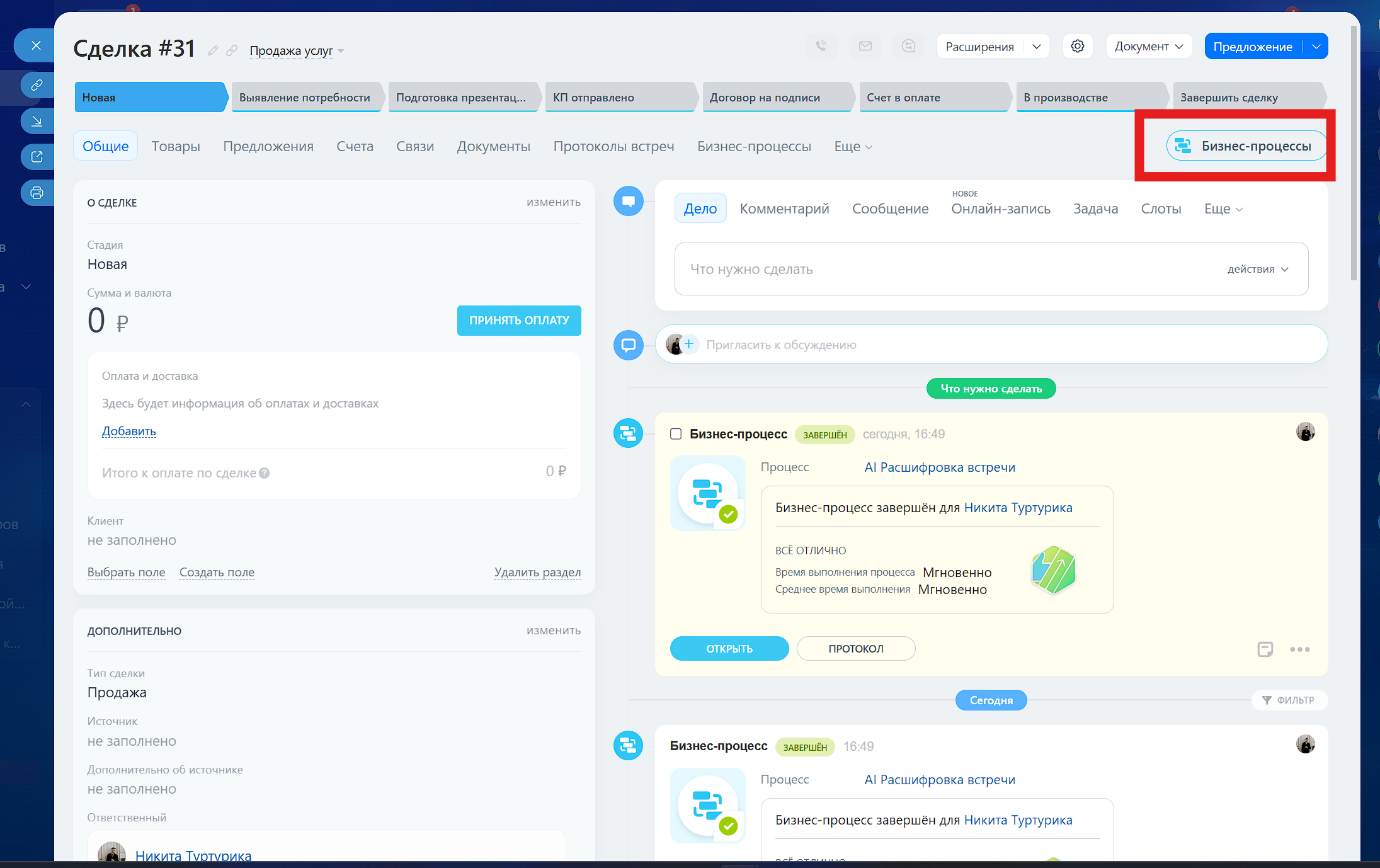
2 Process Launch. In the dropdown list, the manager selects our scenario "AI Meeting Transcription".
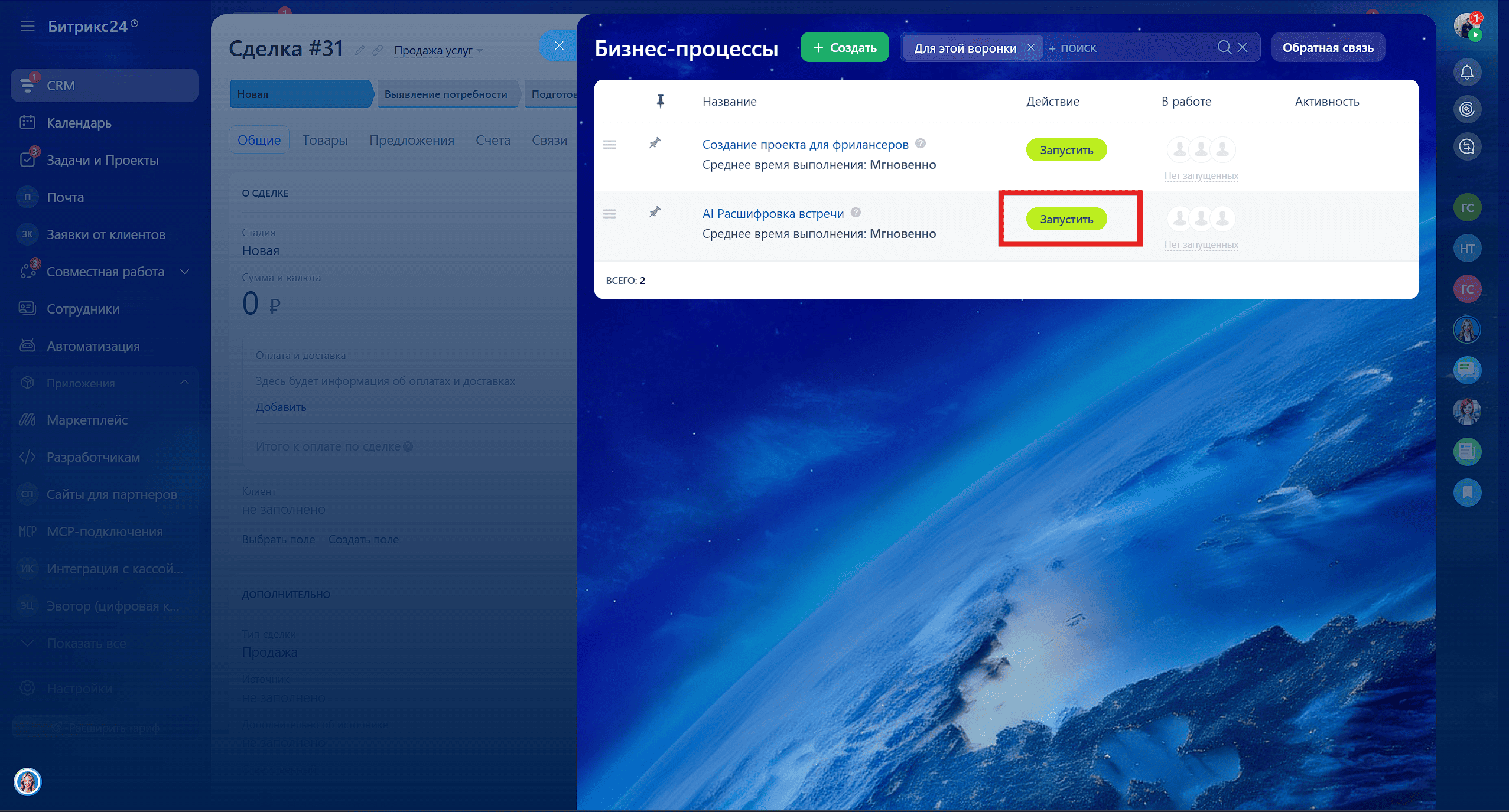
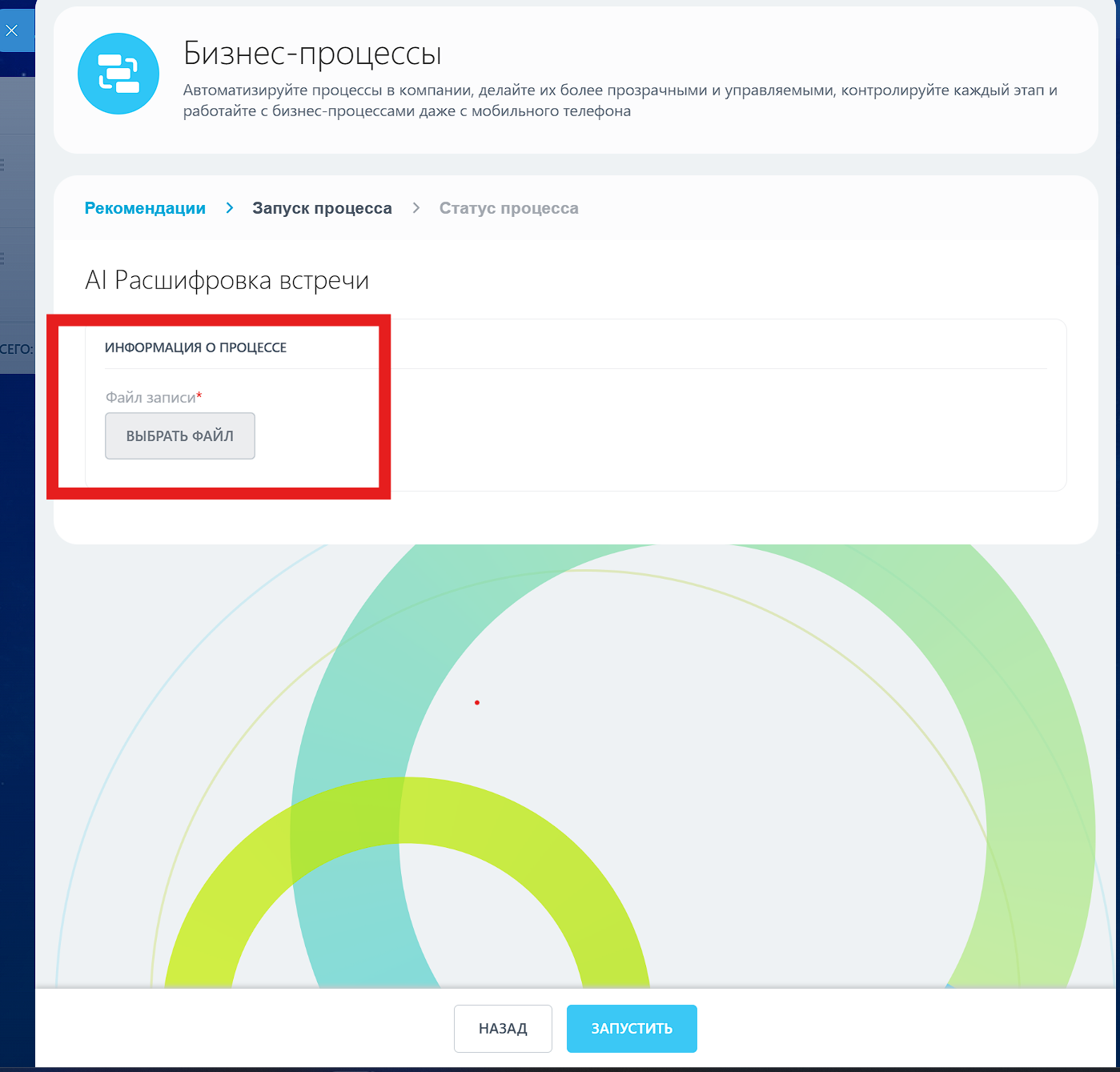
3 Recording Upload. A concise window appears where the recording file (from Zoom, Yandex.Telemost, or a recorder) needs to be dragged. One click on "Start" and the manager's work is done.
The file flies to N8N → Transcription (Whisper) → Meaning Analysis (GPT) → JSON Generation → Return to Bitrix24.
4 Result. After a couple of minutes (time depends on the length of the meeting), a notification informs about readiness. To prevent results from getting lost in the comment feed, we created a separate tab "Meeting Minutes".
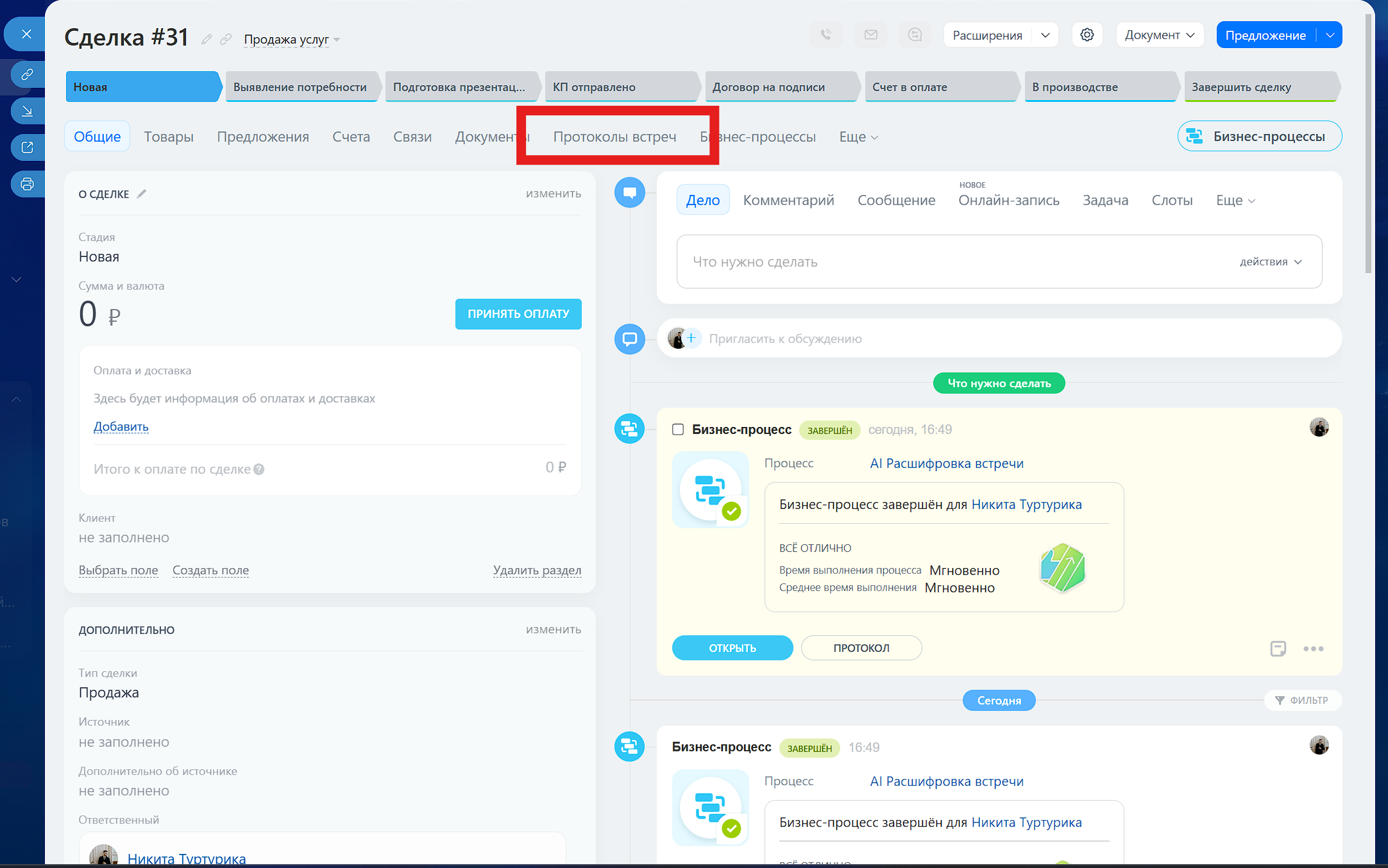
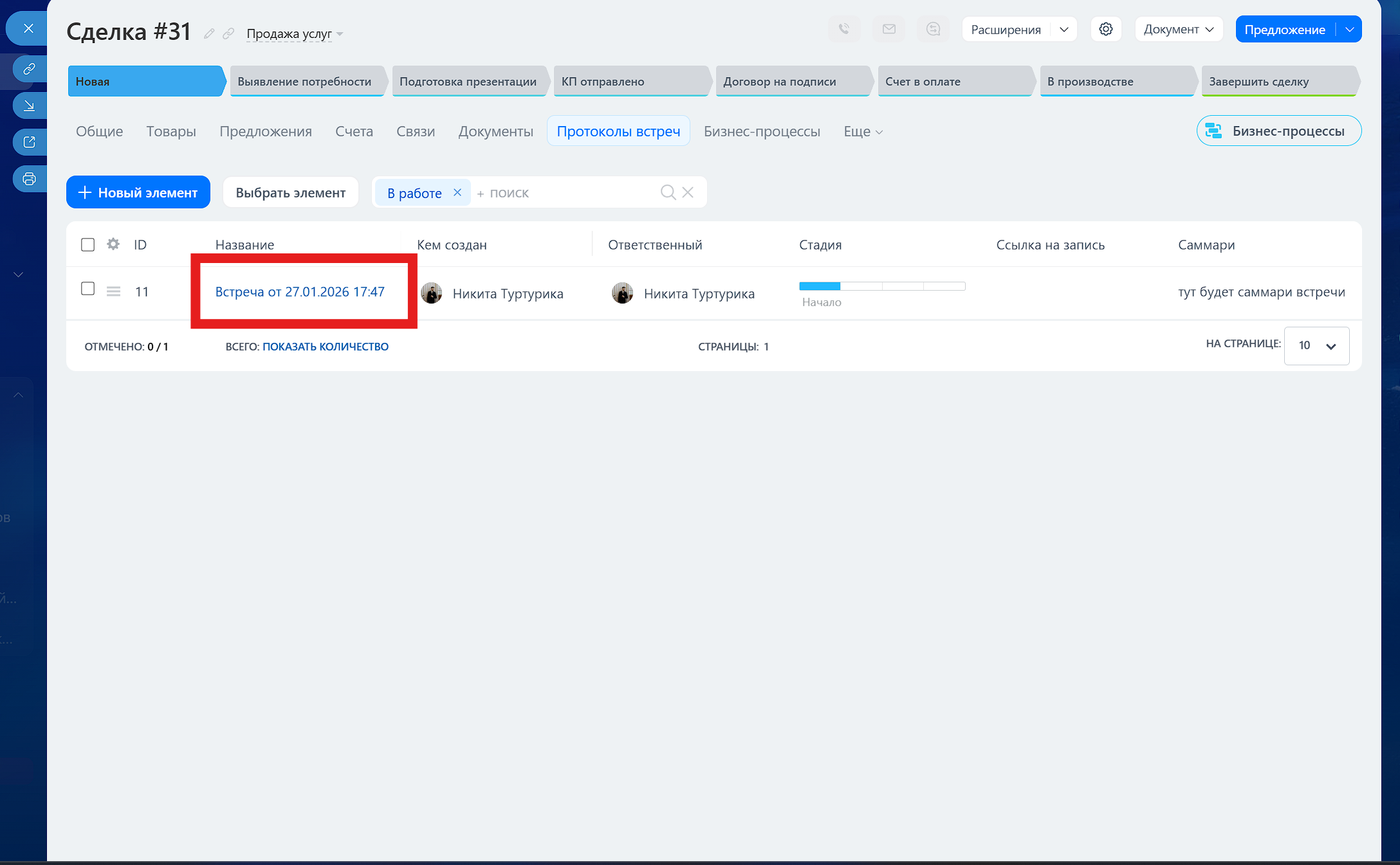
5 Meeting Registry. An archive of all client calls is formed in this tab. Even if there were 10 meetings, they are neatly arranged in a list with dates.
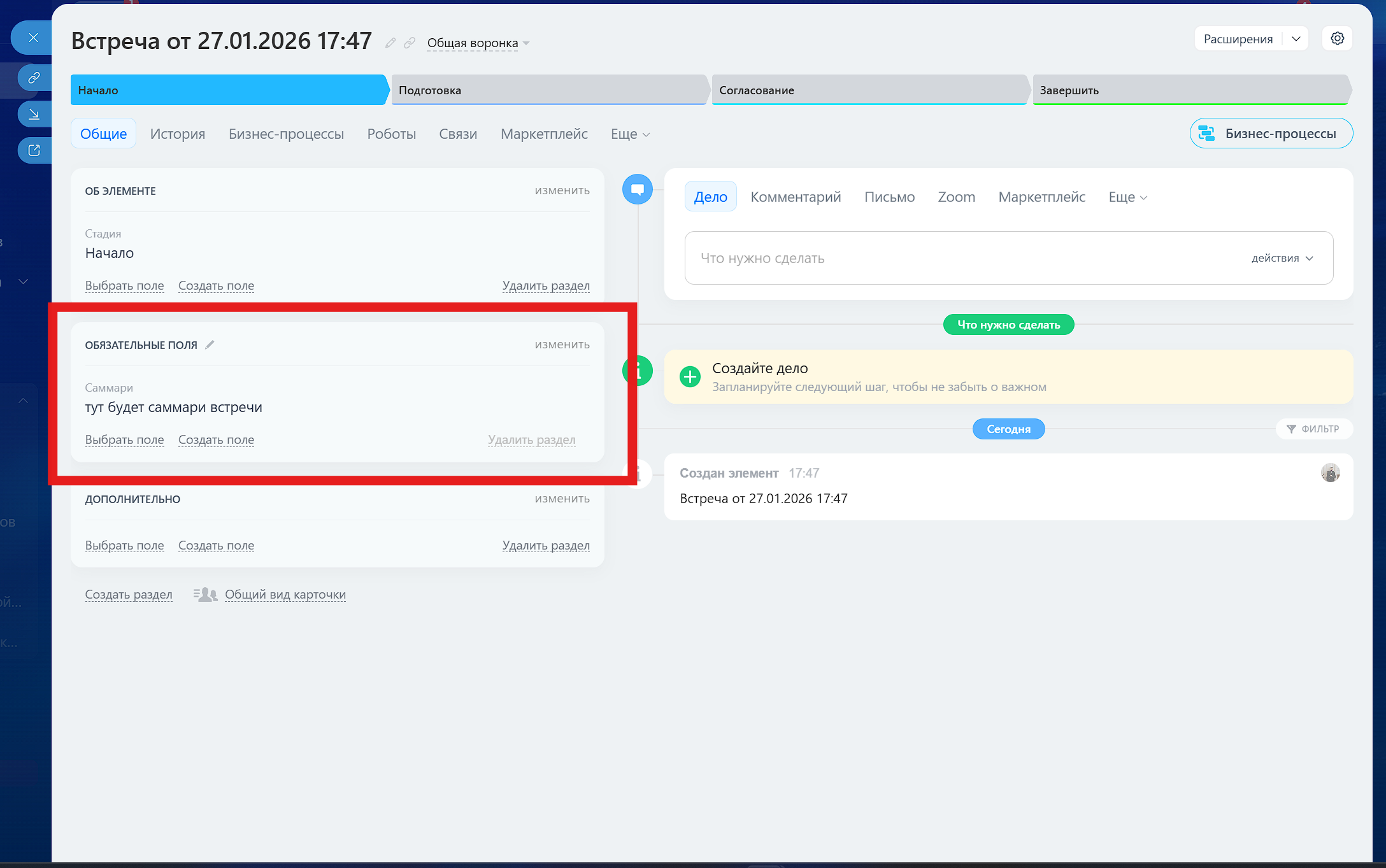
6 Ready Summary. Clicking on a meeting opens a detailed card. Here lies a structured summary, a list of assigned tasks, and a link to the original file. No "fluff" — just facts.
Implementation Results
Want to implement AI in your sales department?
We set up such systems turnkey in 5-7 days. Leave a request, and we will show a demo.
🚀 Ready to automate your business?
Leave a request, and we will set up such a system in 48 hours.