
ERP Connector for Manufacturing 2026: Buyer’s Guide
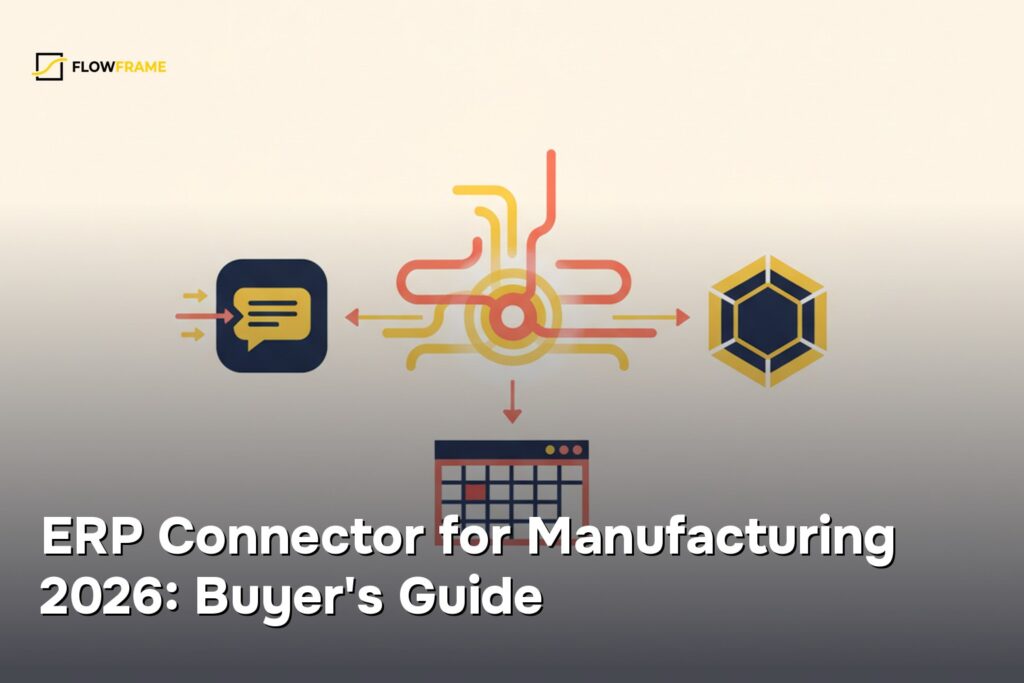
Every morning at 6:47 a.m., the same fire: a floor supervisor in Milwaukee texting to ask why three jobs on the CNC line had no specs, while a scheduler was already 45 minutes into manually re-entering order data from NetSuite into Fishbowl — data that had existed since the night before. At a 45-person precision parts shop doing $2.8M a year, that daily grind was quietly bleeding the business dry: nearly 1 in 5 jobs shipped late, schedulers burned 3–4 hours every single day on data re-entry alone, and somewhere between $180k and $240k walked out the door annually in rush fees, expedite costs, and customer penalties.
Three key accounts were already threatening to walk. Then we automated the handoff between NetSuite and Fishbowl — and on-time delivery climbed from 76% to 91% in under 90 days. Here's exactly how we did it.
The client
Our client is the Operations Director at a 45-person precision parts manufacturer in Milwaukee with $2.8M in annual revenue. They machine tight-tolerance components for industrial OEM customers—the kind of work where a missed dimension or a late shipment can cost a contract. Before we got involved, every order that came into NetSuite had to be manually re-keyed into Fishbowl by a scheduler. That scheduler also chased down job specs via email, pinged floor supervisors in Slack, and kept a personal spreadsheet to track which jobs were at risk. It was a one-person air traffic control operation held together with copy-paste.
What was painful (in numbers)
The Operations Director put it plainly in our first call: "We're quoting 40% more lead time than we actually need just so we don't embarrass ourselves in front of customers." That buffer was the symptom. The disease was a manual handoff process between two systems that didn't talk to each other.
Here's what the pain looked like before we touched anything:
- On-time delivery rate: 76%. That means roughly 12–15 jobs per month shipped late. Three key accounts had formally threatened to switch suppliers.
- Order entry to production: 3.5 hours per job. Schedulers spent 3–4 hours daily re-entering data, hunting for missing specs, and manually triggering production handoffs.
- Customer lead-time buffer: 40% above actual need. Inflated quotes made the shop uncompetitive on fast-turn RFQs—jobs they could physically run in five days were quoted at seven.
- Monthly expedite costs: $15,000–$18,000. Rush freight, overtime premiums, and customer penalty credits were bleeding $180,000–$240,000 annually out of a $2.8M business. That's not a rounding error—that's margin.
The root cause wasn't people—it was architecture. NetSuite handled financials and order management. Fishbowl handled production scheduling and inventory. Neither system knew what the other was doing. Every order crossed a human bridge.
What we chose — our stack
We selected NetSuite + Fishbowl + n8n. Here's how we evaluated that choice against five criteria that matter for a 45-person precision shop:
1. Does it match the actual system footprint?
NetSuite and Fishbowl are the dual backbone of mid-market precision manufacturers for a reason. NetSuite owns financials, sales orders, and customer records. Fishbowl owns the shop floor—manufacture orders, part routing, inventory transactions. Any connector that doesn't speak both languages natively is going to introduce translation errors. We weren't going to rip out either system. Our job was to make them talk.
2. Can it handle bi-directional sync with conditional logic?
Simple one-way pushes weren't enough. When a sales order closes in NetSuite, a manufacture order needs to open in Fishbowl—with the correct BOM, part numbers, and job priority. When Fishbowl marks a job complete, NetSuite needs to update the order status and trigger invoicing. And when a job hits a delay flag in Fishbowl, the Operations Director needs a Slack alert before a customer calls asking where their parts are. That's three-way conditional logic, not a simple webhook relay. n8n's visual workflow builder handled all of it without custom code.
3. Is it the right scale for a 45-person shop?
Enterprise iPaaS platforms built for Fortune 500 IT teams would have been overkill—and expensive to maintain. A fully custom integration would have required a developer on retainer. n8n's self-hosted, low-code model sits in the right lane: powerful enough for complex manufacturing logic, maintainable by an ops-minded admin without a CS degree. We self-hosted the instance on the client's existing server infrastructure, which also kept production IP and order data off third-party cloud servers—a real concern for a shop with NDA-covered part geometries.
4. Does it respect Fishbowl's architectural constraints?
This one trips up a lot of integration projects. Fishbowl's database layer is effectively single-threaded—parallel writes will corrupt records. The client was running Fishbowl v2023+, which gave us access to the REST API rather than the older XML-over-TCP socket interface. We designed the n8n workflow to queue Fishbowl writes sequentially and implement re-authentication on session token expiry. Skipping this step would have caused intermittent sync failures that looked random but weren't.
5. Can it deliver floor-level visibility without a new tool?
The floor supervisors already lived in Slack. We weren't going to ask them to learn a new dashboard. n8n's native Slack node meant we could push job status alerts, priority changes, and delay flags directly into the channels they already monitored—zero behavior change required on the floor.
How we implemented it
Total implementation time: 14 days. The client's side required the Operations Director and one scheduler for about four hours of combined involvement across two weeks.
Days 1–3: Audit and field mapping
We pulled a sample of 30 recent sales orders from NetSuite and mapped every field that Fishbowl needed to open a manufacture order: part number, revision level, quantity, due date, customer priority flag, and any special routing notes. We validated SKU alignment between the two systems using Fishbowl's PartGetRq endpoint—there were 14 part numbers that existed in NetSuite but had mismatched identifiers in Fishbowl. We flagged those for manual cleanup before go-live. This audit step is the one most teams skip, and it's the one that causes 80% of post-launch sync failures.
Days 4–7: Build the NetSuite-to-Fishbowl flow
We configured n8n to poll NetSuite's Sales Order endpoint on a 5-minute interval using OAuth 2.0 authentication with transactions.read and transactions.write scopes. When a new or updated order matched our trigger criteria (status = "Pending Fulfillment," item type = manufactured part), the workflow extracted the relevant fields and posted a ManufactureOrderRq to Fishbowl. We built conditional branches for job priority: orders flagged as expedited in NetSuite routed to a separate Fishbowl queue and triggered an immediate Slack alert to the floor supervisor channel.
Days 8–11: Build the Fishbowl-to-NetSuite return flow
The return path was trickier. When Fishbowl marked a manufacture order complete, we needed to update the corresponding NetSuite sales order status and release it for invoicing. We used a SuiteScript RESTlet deployed on the NetSuite side as a webhook receiver—the client's NetSuite tier didn't support native outbound webhooks, so the RESTlet acted as the bridge. n8n called the RESTlet on a scheduled basis, compared Fishbowl job completion status against open NetSuite orders, and patched the relevant records. We also added a delay-detection branch: if a Fishbowl job's scheduled completion date slipped past the NetSuite promise date, n8n fired a Slack alert to the Operations Director with the job number, customer name, and days at risk.
Days 12–14: Testing, error handling, and handoff
We ran 20 test orders end-to-end, including edge cases: duplicate order numbers, orders with no BOM attached, and a simulated Fishbowl session timeout. We built retry logic with exponential backoff on NetSuite API calls (respecting the 4,000 requests/hour limit) and a dead-letter queue for any records that failed three consecutive sync attempts—those triggered a Slack alert rather than silently dropping. On Day 14, we walked the scheduler through the n8n workflow UI and documented the five most likely failure modes and how to resolve each one.
The results in numbers
| Metric | Before | After | Change |
|---|---|---|---|
| On-time delivery rate | 76% | 91% | +15 percentage points |
| Order entry to production (per job) | 3.5 hours | 0.6 hours | −83% |
| Customer lead-time buffer | 40% above actual | 18% above actual | −22 percentage points |
| Monthly expedite costs | $15,000–$18,000 | $4,000–$6,000 | −73% |
| Annual savings (expedite + credits) | — | $140,000+ | Recovered margin |
The lead-time buffer reduction was the result the Operations Director was most excited about. Dropping from 40% to 18% overhead meant the shop could quote faster and tighter than most competitors in their market—and actually win fast-turn jobs they'd previously declined. According to the Operations Director: "We quoted a 7-day job last month that we would have quoted 12 days on six months ago. We won it. That's new revenue we literally couldn't have captured before."
What we'd do differently
1. Run the SKU alignment audit before scoping, not during build. We found 14 mismatched part numbers on Day 2 of the build phase. Cleaning those up took two days and pushed our Fishbowl flow start by half a week. In future projects, we scope a data audit as a standalone first deliverable—it protects the timeline and surfaces data quality issues that no amount of integration logic can fix.
2. Set up the dead-letter queue on Day 1, not Day 13. We added the failed-record alerting late in the project. During testing, we caught three records that would have silently dropped under the initial design. Error visibility should be the first thing you build, not the last—especially in a manufacturing context where a dropped work order means a missed ship date.
3. Include a floor supervisor in the Slack notification design earlier. We designed the alert format based on what the Operations Director wanted to see. When we demoed it to the floor supervisor on Day 12, he asked for two additional fields—machine center assignment and material availability status. Both were available in Fishbowl. Adding them was a 30-minute change, but it would have been faster if we'd looped him in during the design phase rather than the testing phase.
We can do this for you
If you're running a manufacturing operation on NetSuite and Fishbowl—or any combination of ERP and production management systems—and your schedulers are still manually bridging the gap between them, we can close that gap in 7–14 business days.
This engagement is a fit if you:
- Run 10–100 production jobs per month with a small scheduling team
- Have both systems live but no reliable sync between them
- Are losing margin to expedite costs, late penalties, or inflated lead-time quotes
- Want floor-level visibility without adding another tool to the stack
Our project range for a NetSuite-to-Fishbowl sync engagement is $1,500–$5,000 depending on the number of workflow branches, systems involved, and data complexity. That typically pays back in the first month of expedite savings alone.
We handle the API configuration, field mapping, error handling, and documentation. Your team handles the part number cleanup—and then watches the Slack alerts roll in instead of the angry customer emails.
Book a 30-minute scoping call →
Frequently asked questions
Do we need a developer on staff to maintain this after you build it?
No. n8n's visual interface is maintainable by an operations-minded admin. We document the five most common failure modes and how to resolve each one as part of the handoff. Most of our clients manage day-to-day monitoring themselves and call us only when they want to add a new workflow branch.
What if our Fishbowl version is older than v2023?
Older Fishbowl versions use an XML-over-TCP socket interface rather than a REST API. We've worked with both. The integration design changes, but the outcome doesn't. We confirm your version in the scoping call and design accordingly.
Can this work with a different ERP instead of NetSuite?
Yes. We've built similar workflows connecting Fishbowl to QuickBooks Enterprise, Acumatica, and SAP Business One. The field mapping changes, but the orchestration logic in n8n is system-agnostic. If your ERP has a REST or SOAP API, we can connect it.
How do you handle sensitive part geometry or customer IP in the integration layer?
We self-host n8n on your existing infrastructure—your data never touches a third-party cloud server. Credentials are stored in n8n's encrypted credential store. For shops with strict NDA requirements, we can also scope a deployment inside your existing VPN perimeter.
What's the realistic timeline from first call to go-live?
For a standard NetSuite-to-Fishbowl sync with Slack notifications, we target 14 business days from signed scope to production go-live. Complex multi-branch workflows or significant data quality issues can extend that to 21 days. We've never gone longer than that on this stack.
Want the same?
Choosing the right ERP connector for your manufacturing stack comes down to three things: reliable real-time sync between your systems, zero tolerance for manual re-entry, and a vendor who can prove ROI before you sign anything long-term.
If your team is still burning 3–4 hours a day bridging NetSuite and Fishbowl by hand — and quoting inflated lead times just to cover the gaps — FlowFrame builds production-ready integrations that eliminate that friction entirely. Turnkey delivery — from 7 days, starting at $1,200.
No lengthy discovery sprints. No six-figure implementation fees. Just a connector that works, monitored and maintained so your schedulers can focus on the floor instead of their inboxes.