
Streamline HR Processes: Minimize Document Errors
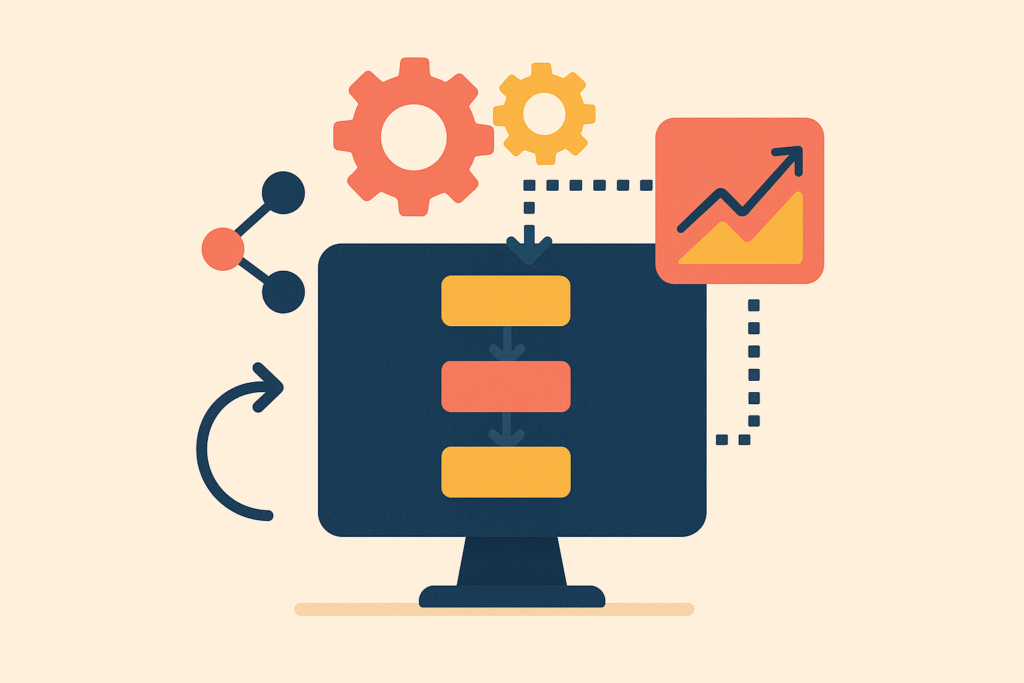
Imagine an HR director's morning: a mountain of documents on the desk, some with errors, and the deadline for sending reports was yesterday. Sound familiar? In the HR department of a medium-sized business, where every employee counts, any mistake can snowball into a mountain of problems. A recent study showed that 60% of HR specialists spend most of their time correcting document errors. This is time that could be used for strategic work and improving service quality.
The problem lies in insufficient automation and fragmented systems. When important data "floats" between spreadsheets and programs, the chance of making a mistake increases significantly. But what if there is a way to integrate all processes to avoid these issues? Imagine all documents being processed automatically and error-free. Tempting? Let's figure out how to achieve this.
Why This Matters: Numbers and Reality
Today, automating HR document workflows is not just desirable but a necessary task for mid-sized companies. Errors in processing and delays can lead to significant financial losses and create tension within the team. Research shows that processing errors can increase costs by 20%, while delays can reduce productivity by 30%.
HR directors in companies with 50 to 250 employees face familiar challenges daily: a massive amount of paperwork, the need for up-to-date data, and constant legal changes. All of this requires enormous time and personnel resources, reducing the overall efficiency of the department and employee and client satisfaction.
Our Solution: How We'll Proceed
To improve processes, we offer a comprehensive solution that combines several tools. These tools can reduce errors by 30% and cut document processing time in half.
Main elements of our solution:
- Collecting new employee information through Bitrix24 CRM
- Data verification and transformation using n8n
- Automated management and updating of spreadsheets in Google Sheets
- OpenAI for creating standard texts and documents
- Telegram notifications upon process completion
Each component handles its task, collectively allowing you to automate routine operations and focus on strategic HR management.
Step 1: Connecting with Bitrix24
The first step is to set up integration with Bitrix24 for automatic employee data collection.
Working with API endpoint:
/rest/crm.company.listStep-by-step instructions:
- Go to the Bitrix24 integration settings and initiate a new connection.
- Select the necessary areas:
crm,user,department. - Obtain an access token and set limits - no more than 2 requests per second.
- Set up webhooks to receive notifications about new employees.
(screenshot: example of creating a connection in Bitrix24)
Step 2: Data Processing on n8n Platform
The next step is configuring n8n for data processing. The platform allows automating workflows as new data comes in.
What needs to be done:
- Create a new Workflow in n8n.
- Set up an internal Webhook to receive data from Bitrix24.
- Add data verification and transformation stages: format correction, removal of extra spaces, etc.
- Organize the sending of processed data to Google Sheets.
(screenshot: creating a Workflow in n8n)
Step 3: Record Keeping in Google Sheets
After data processing, it is automatically entered into Google Sheets. This ensures up-to-date employee information.
Using API endpoint:
https://sheets.googleapis.com/v4/spreadsheetsInstructions:
- Create a new document in Google Sheets and set up formatting.
- Connect via Google API using scopes:
https://www.googleapis.com/auth/spreadsheets. - Configure n8n for automatic data sending to Google Sheets.
- Ensure that data is entered and updated correctly.
(screenshot: setting up Google Sheets API)
Step 4: Text Automation via OpenAI
OpenAI is used for fast creation of standard HR documents. This allows generating text files based on templates without human involvement.
Connecting via API endpoint:
https://api.openai.com/v1/chat/completionsWork stages:
- Set up a connection to the OpenAI API.
- Create document templates and configure their filling based on data from Google Sheets.
- Integrate this process into the n8n Workflow.
(screenshot: setting up document generation in OpenAI)
Step 5: Notifications via Telegram Bot API
Operational notifications about process completion are sent via Telegram. This allows for quick responses to changes.
Working with API endpoint:
https://api.telegram.org/bot<token>/sendMessageDo the following:
- Create a bot in Telegram and get an access token.
- Configure n8n to send messages via Telegram API.
- Ensure notifications are sent correctly and on time.
(screenshot: setting up a bot in Telegram)
Potential Pitfalls: Where Challenges Might Arise and How to Avoid Them
- OAuth2 Issues: Authentication difficulties may arise when working with Google Sheets and Bitrix24. It's important to keep tokens updated and properly configure scopes.
- API Limitations: Exceeding limits can lead to temporary service blocks. Distribute requests considering limits, avoiding accumulation at one moment.
- Data Errors: Incorrect data formatting between systems can cause failures. Rely on strict verification and validation at the n8n stage.
- Connection Issues: Losing connection with the Telegram API can lead to missed notifications. Implement retry logic for sending messages.
How to Know Everything Works: Metrics and Their Values
After implementing the solution, it's important to track key indicators to understand how successful the automation is.
| Metric | Target Value | Measurement Methods |
|---|---|---|
| Reduction in document processing time | 50% | Compare average processing time before and after automation implementation. |
| Decrease in error count | 30% | Track the number of corrected document errors. |
| Increase in employee satisfaction | 20% growth | Conduct regular surveys to assess staff satisfaction. |
Regularly monitoring these indicators and adjusting settings will help maintain a high level of automation and maximize the HR department's work efficiency.
What to Do Right Now
- Conduct a Current Process Audit: Evaluate which of your HR tasks take the most time and are prone to errors. This will help you determine what to automate first.
- Define Success Criteria: Set specific metrics, such as document processing time or error count, to track progress and evaluate the effectiveness of implemented solutions.
- Explore Available Integrations: Research which systems and tools can be integrated with your current processes for automation and choose those that best meet your needs.
- Start Small: Implement automation in one process and test its operation. This will allow you to assess the benefits in practice and consider possible improvements before scaling.
When to Call Us
If you're looking for a reliable partner to automate HR processes, FlowFrame is ready to help. Our experts can set up integrations and tailor solutions to your individual needs. Talk to our AI bot on the website to schedule a consultation and take the first step towards a more efficient HR department.